Monitoring
Welcome to the NexaWP Manager documentation. Find all the answers to your questions here.
NexaWP Manager keeps watch over your WordPress sites. An automatic health check runs at the interval chosen for each site (1, 5, 15, 30 or 60 minutes, 5 by default) to assess availability, response time, SSL certificate validity and resource usage (memory and CPU) of your sites.
Table of Contents
How Monitoring Works
Once enabled, monitoring runs a health check at the interval chosen for the site (5 minutes by default). The collected data is aggregated into a health score from 0 to 100, giving an instant view of your site's condition.
Automatic Check
The system checks your site every 1, 5, 15, 30 or 60 minutes, as you choose.
Metrics Analysis
Response time, SSL certificate, memory, CPU and availability are assessed.
Score Calculation
A health score from 0 to 100 is calculated from the collected metrics.
Automatic Alerts
An outage is confirmed by a second check, then an alert is created and you are notified by email.
Activation and Configuration
Setting up monitoring is simple and takes only a few seconds.
Go to your site's detail page in NexaWP Manager
Click on the "Monitoring" tab then "Enable Monitoring"
The system immediately performs an initial health check
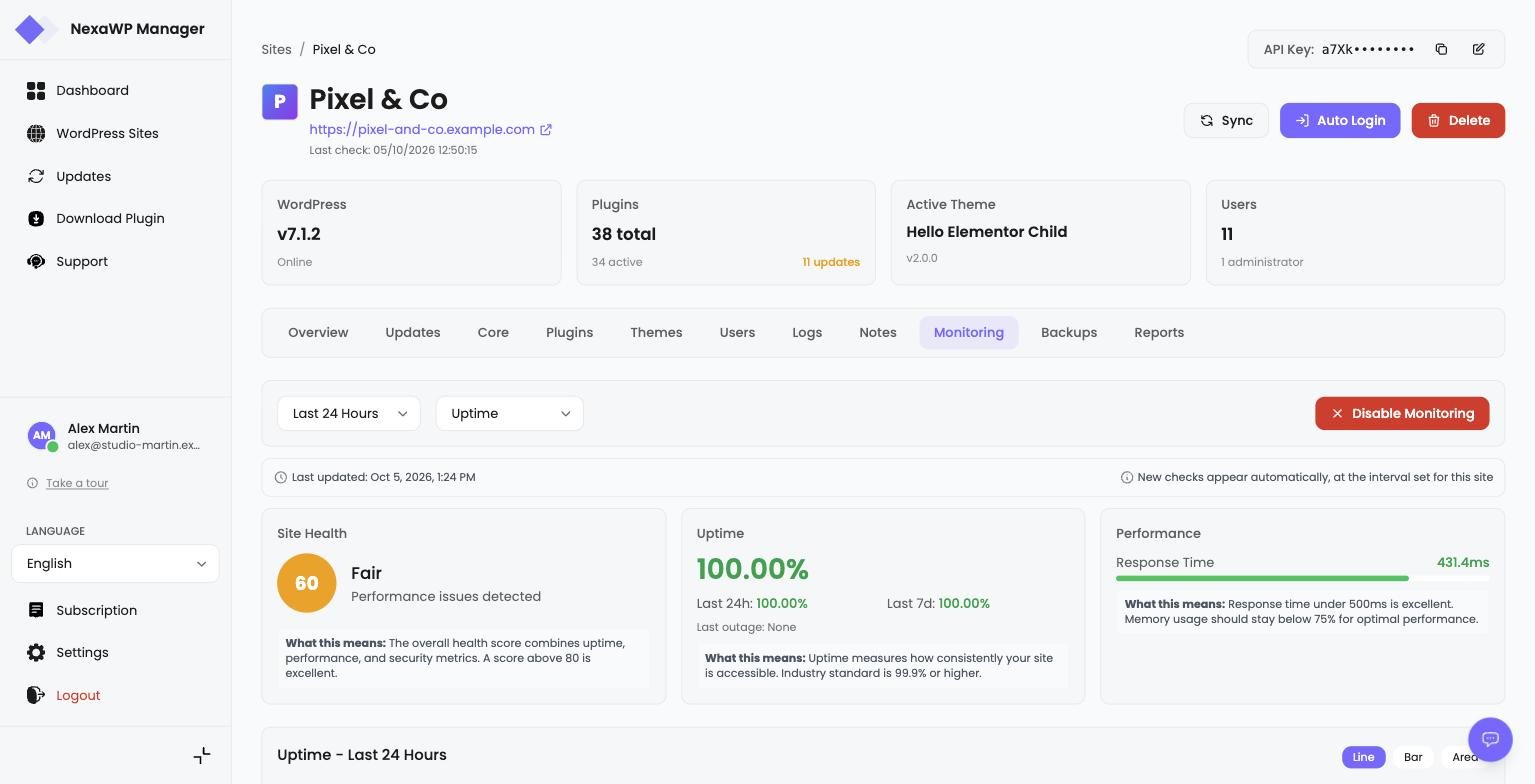
Screenshot - Monitoring configuration
Health Score
The health score is a value from 0 to 100 representing your site's overall status. It is automatically calculated with each health check.
Excellent
Optimal performance, no issues detected
Good
Healthy site with minor performance issues
Fair
Some areas require attention
Poor
Significant issues affecting performance
Critical
Immediate action required
Score Deduction Factors
Monitored Metrics
Several key metrics are collected with each health check to assess your site's status.
Uptime
Percentage of time your site is accessible over 24h, 7d, and 30d.
Response Time
Measures server response speed in milliseconds.
Memory Usage
Percentage of memory used by your WordPress site.
CPU usage
Server processor load, measured by the NexaWP Connector plugin.
SSL Certificate
Checks that your certificate is valid: expired or invalid.
Alert Types
NexaWP Manager automatically generates alerts when issues are detected on your sites.
Site Offline
Alert as soon as the outage is confirmed by a second check.
Slow Response Time
Notification if the response time exceeds the threshold set for the site (1 second by default).
SSL certificate
Alert when the site's SSL certificate has expired or is invalid.
High Memory
Notification when memory usage exceeds the threshold you set (80% by default).
High CPU
Notification when CPU usage exceeds the threshold you set (70% by default).
Severity Levels
Email Notifications
Get notified by email when a problem is confirmed or when your site recovers.
Alert Email
Sent as soon as the outage is confirmed, with the issue details and detection time.
Recovery Email
Confirmation that your site is back to normal with a summary of incident duration.
Frequently Asked Questions
Ready to start?
Simplify your WordPress sites management
Centralize the management of all your WordPress sites with NexaWP Manager.